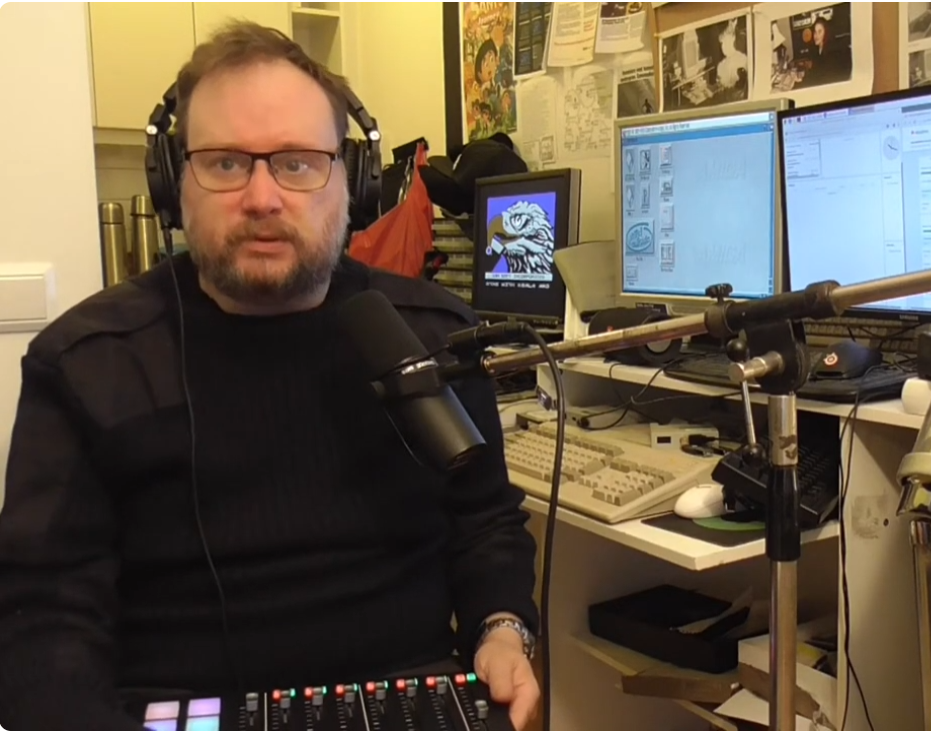
What you mean “retro hoarder?” I just have like 7 Commodore computers.
In 2021, I wrote an article about how I make the podcast “Flashback, tracks from the past”. But it covered how I work with demo parties and the demo top lists I make. Most of the episodes nowadays are just me playing great tracked music. I still make demo scene episodes, but the most common shows are much faster to produce and feature more music instead of stories and interviews. This is because my experience is that the listeners prefer music over story telling. So, with no further ado, here is how your typical weekly show is made.
Step 1 – Getting all the cool music
When I started, I had a stash of 1000s of Amiga tracker modules. I used it to feed my radio station and later the first episodes of the podcast. It worked until I had run through all the good tunes and needed more than that. Thankfully, I found Modarchive. The site not only saves those tracked tunes for posterity but is also curating then. Inadvertently I started pushing non-Amiga tunes into the station. This eventually forced me to accept that it would not be 100% Amiga. But as true meritocracy goes, it made sure that I got the best of the best when it comes to tracked music.
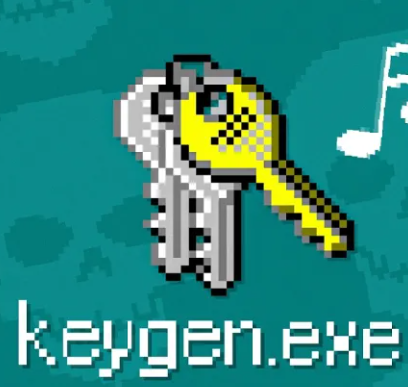
This is probably how most people got in contact with chip tunes. Remember the old cracked games, which included a key generator for the license key? It came with music, a bad conscience and loads of malware. Not really missing that era, but the music was great!
What’s tracked music? Don’t they all call it “chip tunes” nowadays? Aaaaaaaaargh!!!! We must stop doing that. Not every tracked song is a chiptune. But that’s where we are now, so I guess I must accept “chip tunes” being a blanket term for anything sounding the least bit blippety-bloppety. But I digress…
I need one hour of tracked music. That would be about 20 songs, and I happily must venture to Modarchive.
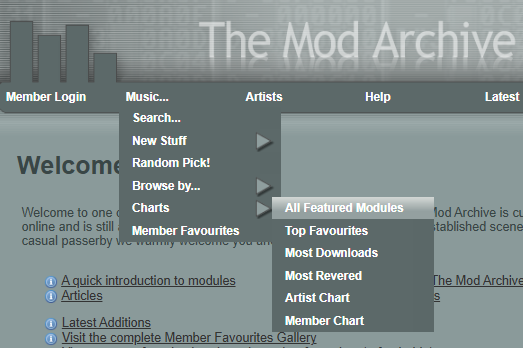
Sweet! Give me my tracker music fix now!
Modarchive has a few good sources for music thanks to the “curator” approach they have to it. I start out by looking through the highest rated songs. Those that have 10 out of 10 in the rating. I also go through the “Most revered” list, where members has voted for their all-time favorites. In 2022 I used the genre lists to create a few themed episodes going through pop, rock, novelties and classic music.
Today I rely on the weekly spotlit songs that have been selected by the administrators on the site because they’re above and beyond the normal tunes. So, I bring up the latest tunes to be selected for that honor.
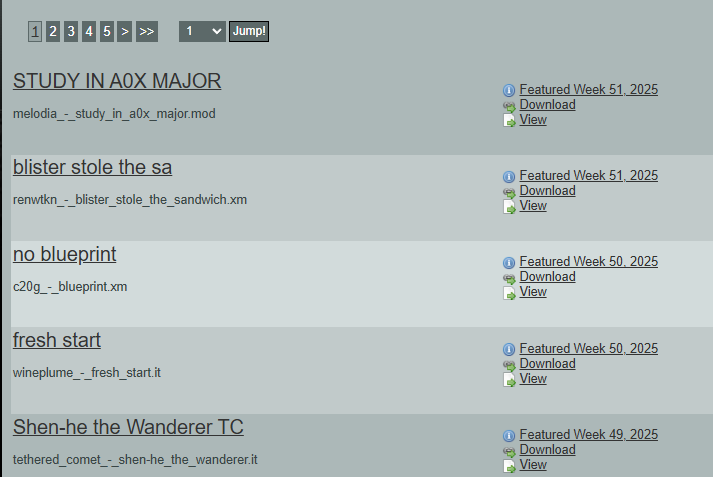
Let’s get it started from here. I now load up every entry in a separate tab on my browser until I have enough candidates or my browser comes crashing down. Then it’s time to listen. This takes a while. Just because it’s supposed to be good, doesn’t mean it cuts the muster. The station and the podcast have a sound and a format that requires the songs to fit when it comes to quality, genre and style. This takes a while and is done by the patented “wham, bam, thank you ma’m”-process. That is, I click, listen and either download the song or not and then I go to the next song. To see if I got enough tunes, I load them into VLC. Don’t worry, I will never use VLC to convert the tunes. It’s only to see how many minutes of music I have. As soon as the total time exceeds one hour, it’s time for the next step.
Step 2 – cooking after the recipy
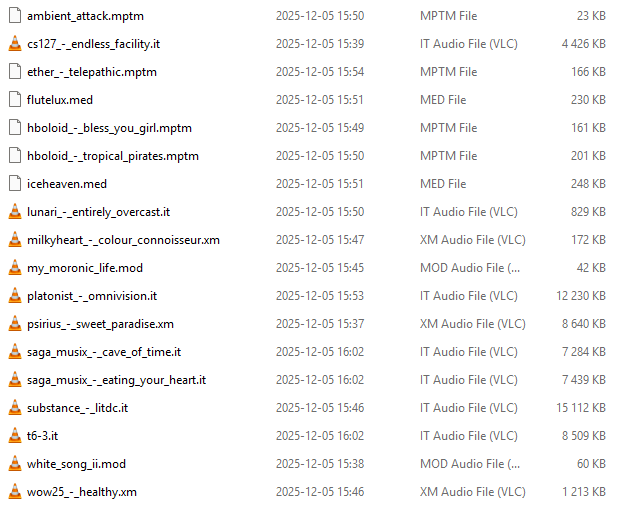
Great! A pile of tunes, what do I play them with?
VLC is a poor choice of player for tracked music. There, I said it, now I feel better. Why? Because the batch conversion features are buggy as you wouldn’t believe and it cannot play a lot of the tunes right. Sorry, the playback of Impulsetracker tunes is useless. It doesn’t support all effects, so tunes won’t sound the way they should. I learned that the hard way. It’s a great player for playing normal mp3-files, though.

An excerpt from a mail conversation between me and an orga from a popular demo party in the southern hemisphere. He clearly knows that this is a problem as well. Just so you know it isn’t just me thinking so.
My tool of choice is: OpenMPT. To be more specific, the command prompt version of it, called openmpt123.exe. I have created a script to handle batch-conversion of whatever type of tracked tune it is to a set of nice flac-files. Flac is lossless compression, so it retains the quality of the original sound. Did I say that? Since when have tracked music has ever had good sample quality? Most earlier tunes of the Amiga-era are cobbled together in the artist’s mother’s basement by nerds with Cindy Crawford posters on their walls. They know how to make great music, but recording samples is another thing altogether. Back then most samplers for the Amiga did not have any meters or indicators to allow for recording at a good recording level. The rest, as they say, is history.
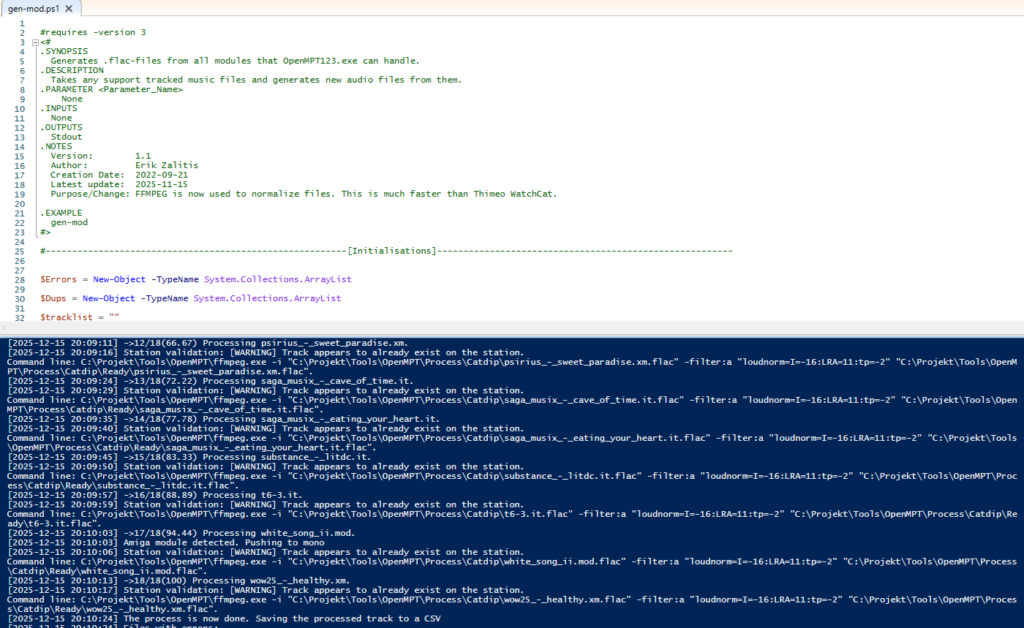
Built like a tank and about cutting though modules like one as well.
The conversion script not only converts the tunes, it also normalises the levels and creates meaningful meta data.
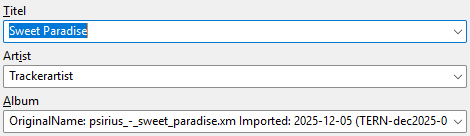
The album field is super important. The OrginalName is the name of the file when it gets imported. The website uses the file ending to figure out what kind of format I’m playing. This song ends with .xm, so it was created in Fastracker or one of its clones.
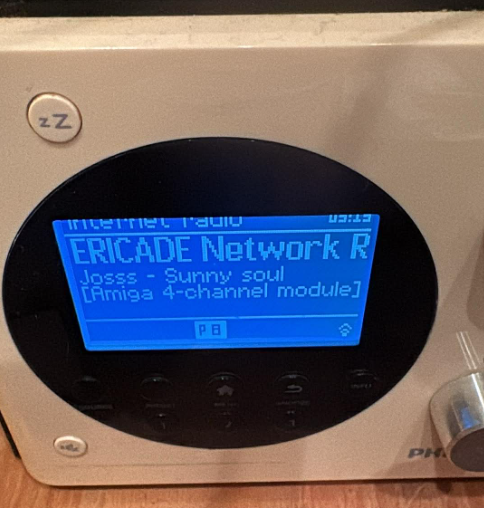
This is what the station looks like on a friend’s webradio. Does anyone still use those, by the way? Note that ericade.radio tells the listener that it is an Amiga 4-channel module. Now you know how that works. Cool.
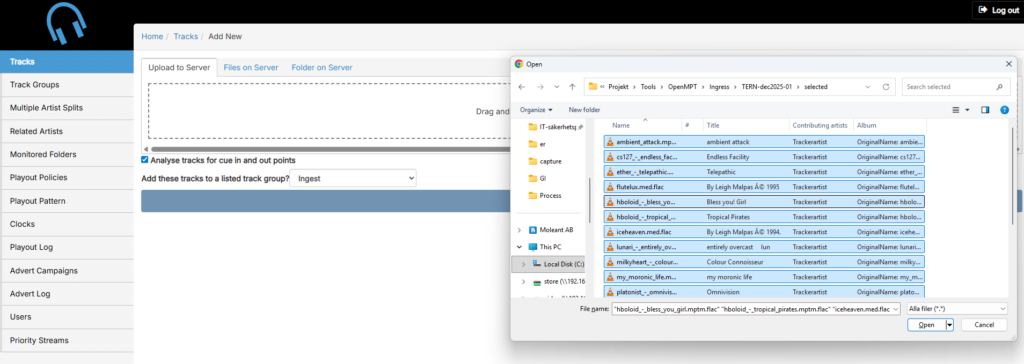
PlayIT Live is the broadcast automation program I use to make the station tick. It runs 24/7, creating the playlist for the two stations I have. It’s also used to create the show that later becomes the podcast episode. Now I must upload the newly created tunes to the station. This copies them to the broadcast server and adds them to the repositories. Repo-what? Yes, that’s the list of available tunes used to create the play lists and make the stations work.
Let’s look at one of the tunes on the broadcast server.
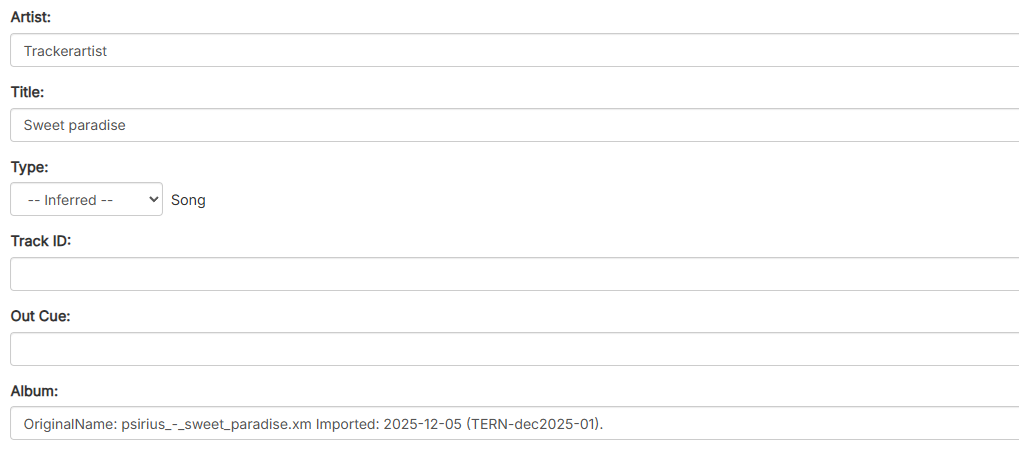
So, do you see anything missing from the picture of the tune? Yup, the artist’s name isn’t there. There is no artist field on any format of module I know of. So, it says “Trackerartist”. That’s the next 30 minutes of fun for me. That is trying to figure out who wrote the tune. Sometimes the comment/instrument-list helps. And sometimes I must go to Modarchive or Google for it. Every now and then there is an artist with such bad self-esteem they choose to remain anonymous or something like that. They then get to keep the name “Trackerartist”. The tune above is by “Psirius”, and I then update that field.
It’s super important to make sure all artists are typed in the same way, so the listings show up correctly on the station and in the podcast play list.
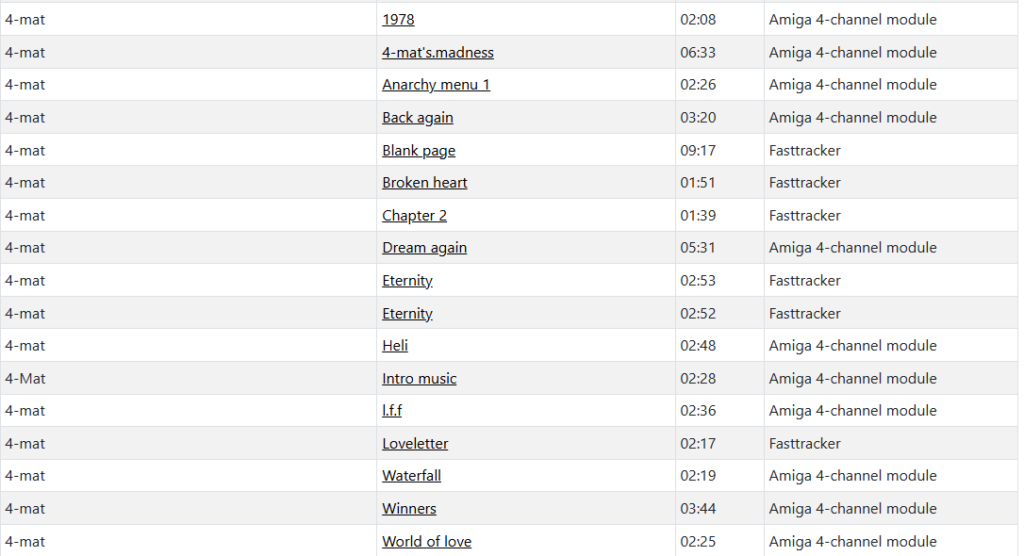
See! Just by listing the artist correctly, the name is lining up nice in the list of available music on the station.
So, the million-dollar question: does the music appear on the station? The beauty of the whole setup is that it totally does. I have uploaded it to the same broadcasting server that plays the 24/7 stream, meaning it will enter the station when I create a new podcast episode. Not a mistake, but the intended effect. The podcast is a structured way for me to add new music to the station regularly.
Onwards, we got even more fun in the pipeline.
Step 3 – DJ Daemon has entered the building
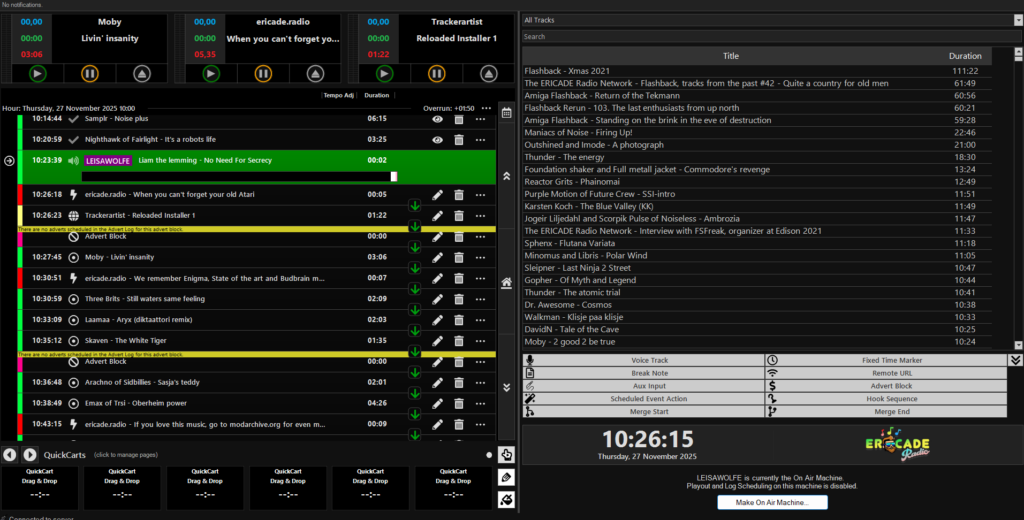
Meet Leisa Wolfe, the broadcasting server. I have no idea why I choose to call her that. It’s like a captain naming his ship. It has to be a woman’s name. I just really have no method of selecting one. I guess it sounded good at the time. That was like in 2020 or so. Nevermind… Anyway, what you see is the broadcast automation. And also the very same tool I use to create the podcast, which always starts as a show on the station and then later becomes a podcast. Greatness.
So, I go to the 18:00 clock, which is the Swedish way of saying 6 pm. I then remove all the tunes set to play at that time and then I disable the scheduler. PlayIT Live fears vacuum and happily fills the gap with new songs before I have the time to add my own. It’s probably a good idea to turn it back on when done, or the station eventually goes silent when it runs out of scheduled hours. Dead air is a mess, and you lose listeners that way. All DJ:s have horror stories of that.
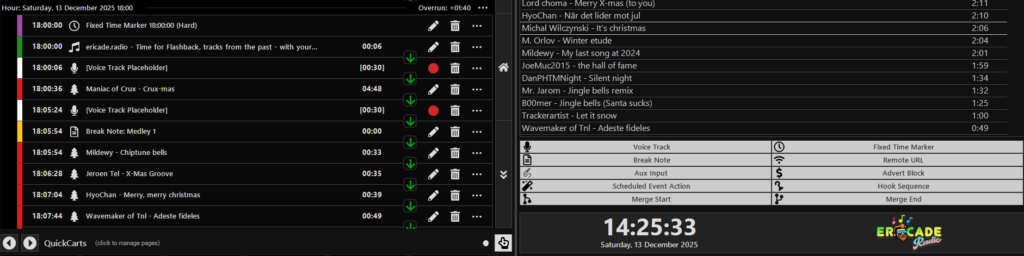
Ok, I open the ingest group, which is where I put on the new files I just imported in the station. Then I put them in the correct order. Which is that anyway? Well, I first try to find that tune that sounds like a starter. Yes, that’s a thing for any station. You want to start your show with a bang! And there is always at least one of the tunes that sounds like it’s the perfect starter. Then I try to select fitting tunes to create variety. If two tunes are slow and beautiful, I try to select something like an up-tempo techno tune as the next one. I also try to mix styles and make the play list (or “clock” as we call it in the radio business) become varied and never become boring. This is hard to get right as I only have like 20 songs or so. But it certainly helps to make it a more compelling show even if I can’t make it perfect.
The short tunes (less than 3 minutes) are put in a section of the play list called a “medley”. This is a play order that does not get interrupted by my speech. It will become a mix of tunes that fill up the same time as one normal length tune would. I make sure to put in a jingle between one of them to “tag” the show. Then I tighten the segues. No, not that useless bike thing. That would be a “segway” and nobody cares about them anymore. A seque is a mix between two songs.
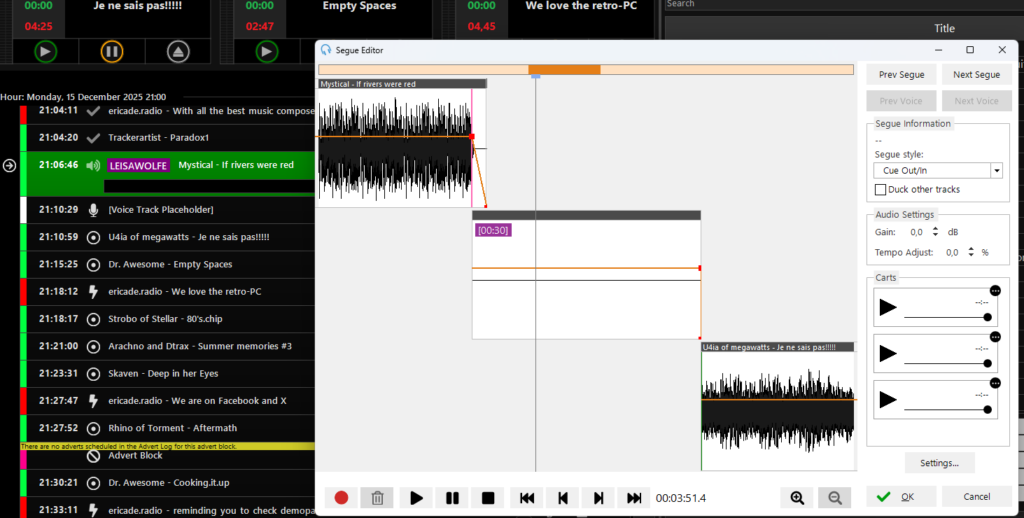
With this done, it’s time to insert the voice tracks. What? Yeah, sorry. Maybe I should explain what it is. A voice tracking software allows the DJ to talk between the songs. When he does, he only sees the end of the previous song and the start of the next. Those entries first show up as “Voice track Placeholder” because they’re empty. I then sit by the recording desk, that’s connected to the broadcast server and record every speech between the songs. Since I can record them in rapid succession, I have no need to wait for a song to play through before I record the next one.
This still takes time as I often have to make retakes to get it right. I’m no born speaker, I guess…
The playlist shows approximate times for each song, but I learned not to trust them perfectly when speaking. The last thing is to make sure to tighten the segues to get a mix without any interruptions. Now, I’m finally done with the whole show and take a backup of the list just in case PlayIT Live decides to pull the rug from under my feet. It does this every now and then. The software costs money, but the bugs are free. Since I started the station, I have sent a steady stream of bug reports to various software vendors that makes the station work (except when it doesn’t) It’s a bit of a slow Saturday morning hobby of mine.
Then I turn my focus to the broadcasting server. I start recording the station output to a wav-file to have something to create a podcast out of. PlayIT Live has some sort of mixdown feature that creates the show from the play list, but I have not yet tested if it can be used to speed the process up. All right!
The station is loud. In techno babble jargon, it’s close to -11 dB LUFS. This is the average level for the audio going to the stream encoders. There are louder stations on the Internet, but I have selected it to make a decent compromise between sounding weak and blowing out your speakers. This is however too loud for a podcast, which should be at -14 dB LUFS according to YouTube. It’s a negative scale, so -11 is louder than -14. So, I instruct the broadcast processor to calm down a bit and give me softer compression.

No, it’s not a psychedelic version of Microsoft Excel. This is the broadcast compressor (Thimeo Stereo Tool) that makes sound loud and makes sure you don’t have to adjust the volume knob between the songs. Those are the only purposes of it, really. What more do you want?
At 6 pm central European time, the station hits the fixed time marker that stops what is playing and starts the station id. “Time for another episode of Flashback, tracks from the past with your host DJ Daemon”. Then the first voice track starts playing and my voice comes on. A listener once said that I have a “rusty voice”. Really? I have no idea if it was an insult or some sort of admiration of my skills as a DJ. But there you go. I try to make my speeches short, because the listeners are here for the music, not me. The first tune now comes blaring through the speaker.
I then turn to Gimp and open my podcast template to create the cover art of the podcast.
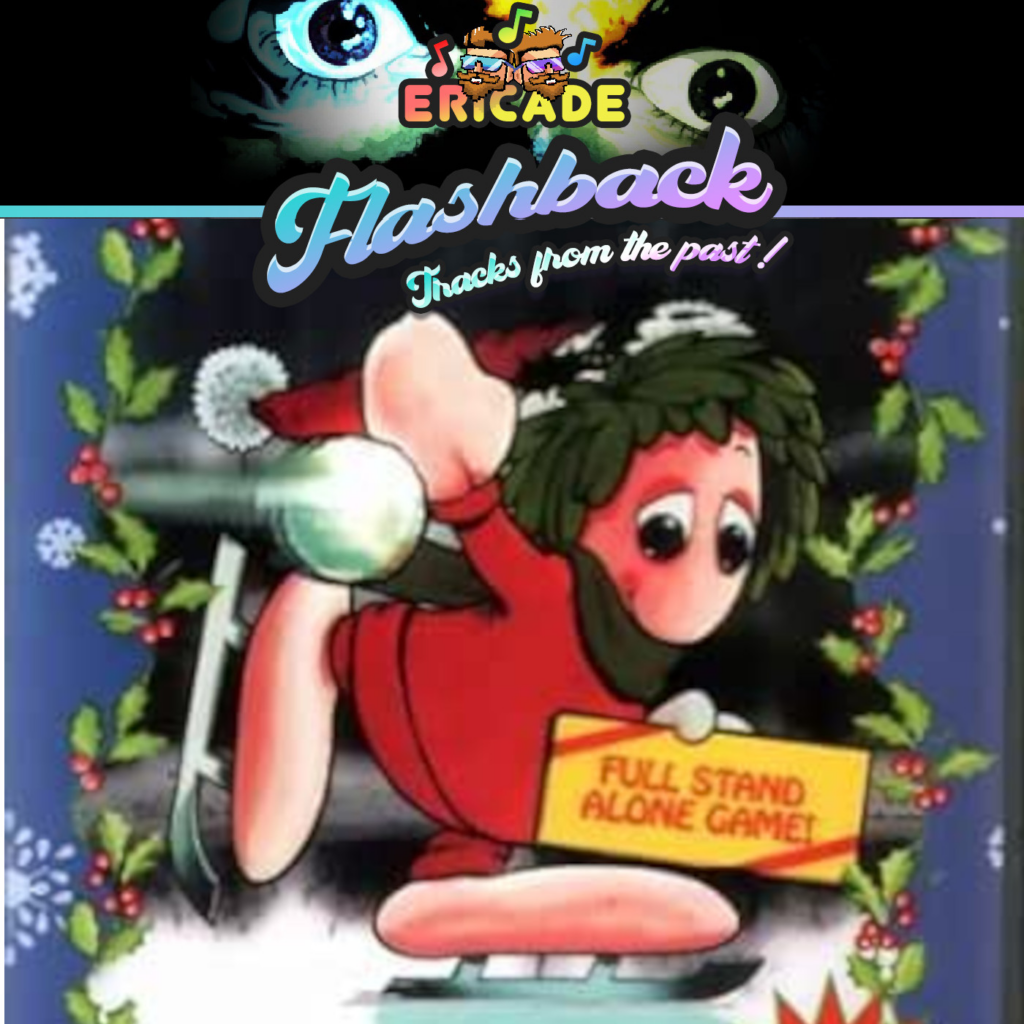
Lemmings! I love Lemmings. Expecially nuking the lot of them when I can’t beat a level. Wait up, is he doing a mike drop???
It’s 7 pm and the station returns to playing music without my voice in between the songs. I reckon the listeners let out a collective sigh of relief. My work is not done yet. I return the broadcast processor to its normal level of smashing down the nails that are the audio levels. Then I copy the recordings of the show to the recording desk. This then gets loading into Audacity.
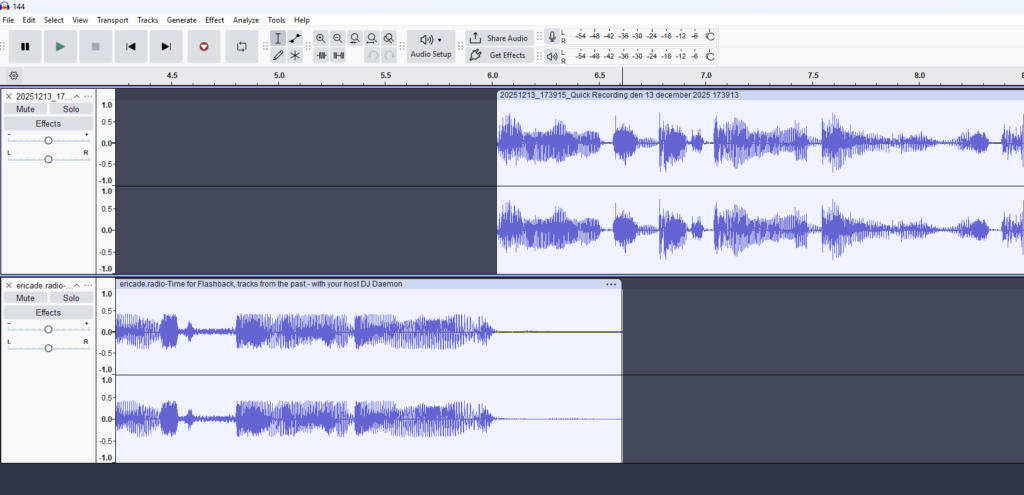
This is where “we fix it in post”. That is IF it can be fixed at all.
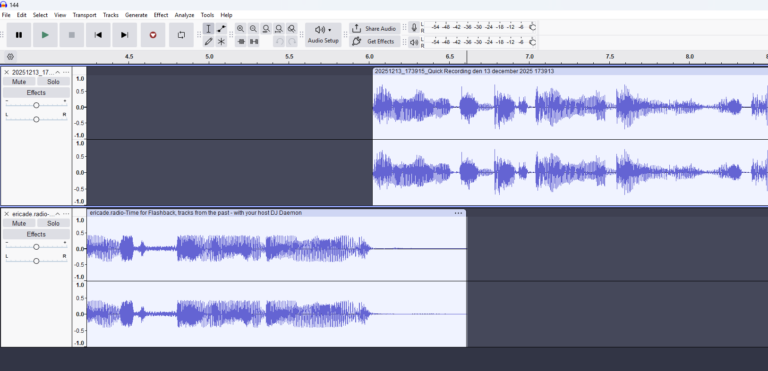
Now I cut the off the part preceding the start of the show and the ending. I also have to lop off the intro station id and replace it with a new one from my stored files. Otherwise, the podcast will start with the last part of the song playing when it starts on the show. The tail end gets a nice fade out. And I then save the whole show to an mp3- and a FLAC-file. They’re then tagged with information about the show.

Now I upload the mp3-file to the web server, and the FLAC-file goes into the ingest directory of the second station (“Best of ericade.radio”). PlayIT Live picks up the show and I manually start it on that station. This will send a call to the web site API, which creates an entry in the tune database that powers the web site. It’s not enough to make it show up. For this, I have to enter data in the missing columns of the entry in the table in the database.
Time to pull the playlist from the broadcasting server. I put it into Excel and format it. Then I put the formatted text into Ultra edit and do some search and replace to get the correct timestamps and name of the fields.

Text processing at its best! No pesky formatting.
Then I run another script that merges the FLAC-file and the picture I created in Gimp. This merged file becomes the mp4-file that YouTube needs. You cannot upload mp3-files to YouTube as they will not be accepted. This is a video with one static image and the whole show playing. You can do so true magic with ffmpeg and PowerShell.

I might have been a tad bitter, when I programmed the script.
Now I upload the file to the YouTube channel and hope for the best. YouTube checks for copyrighted music and sometimes fires off one of its many false copyright warnings. I really try to vet the files before putting them on, but there are times when some file slips through the cracks. And there are all dumb warnings that simply are not copyright infringements. It fires wildly and often gets it wrong. I use Spotify to find the songs it sometimes marks and they’re often false. Sigh.
Then comes the work to write a short copy, which is a description for the show. I then add the text to the YouTube video and test the time stamps, so you can jump between the songs and my speeches.
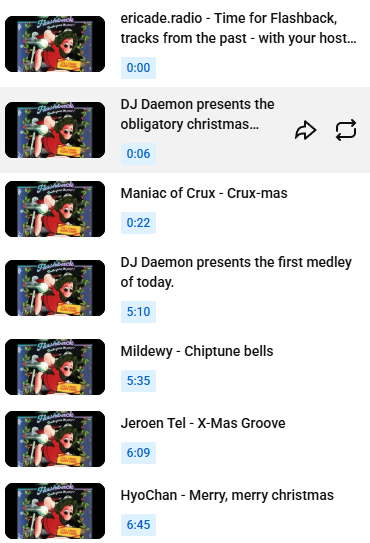
Maybe a bit boring with the same picture for every chapter, but it’s a radio show you see. Nothing visual going on.
Almost there after like four hours of work. I now fill the entry in the database with playlist info and data. It will not only show up on the web site, but it will also appear in the RSS feed that powers the podcast aggregators.
Does it work?

Yes, it totally does. In a few hours, all podcasting sites will follow suite and display the episode. Except Spotify that will delete it and yell at me for trying to uplöad copyrighted material. They’re worse than YouTube of getting this wrong.
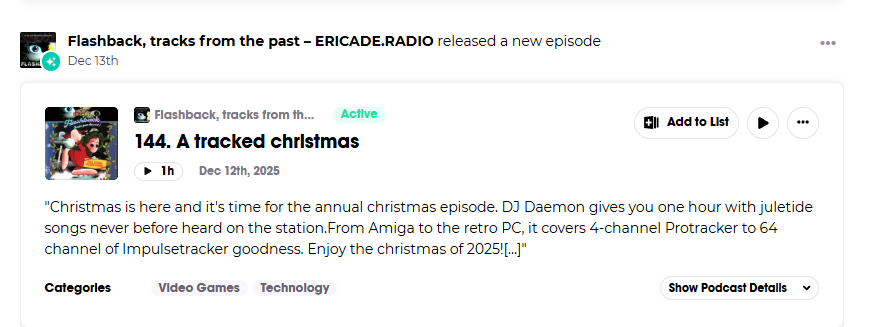
Podchaser finds the episode and probably features it in double copies. There is something dearly wrong with their RSS parser. I have stopped going through the trouble of reporting this to them. The other sites have no problems with my feeds.
Are we done yet? You would think so, but not yet. Now I must spread the word on Discord servers, Facebook groups and other social media. Not forgetting the station’s own social media channel. This takes time and I must select the correct place to advertise on, so I don’t spam.
Are we done now! Yes, that’s correct. Now it’s time to shut everything down (not the broadcast server ffs!) and open a brewski.
Remember you can talk to us! Click here to go to our server on Discord.